 DirectLink
Force feedback for any DirectInput device
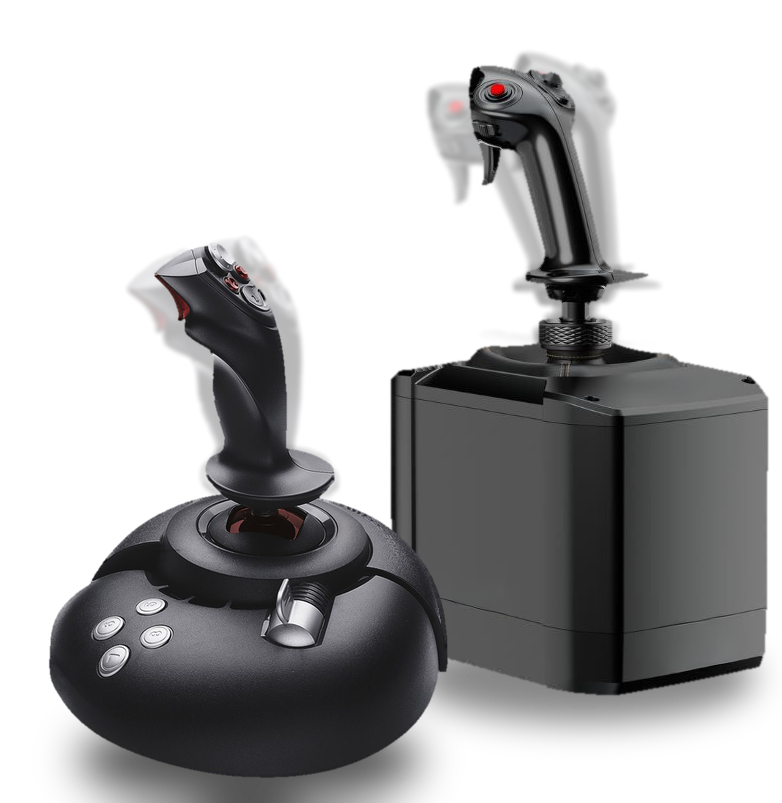
DirectLink connects VPforce's open-source TelemFFB effect engine to the force feedback hardware you already own. Whether you fly a classic SideWinder 2 or a modern Moza, Brunner or other DirectInput-compliant base, TelemFFB's mature effect suite becomes available to you.
Requires TelemFFB 3.0.261019 or later. DirectLink is not a standalone application.
TelemFFB is a free download from GitHub. For questions and support, join the VPforce Discord and post in the #directlink-user channel.
What is TelemFFB?
TelemFFB is free, open-source software that reads live telemetry from your simulator and turns it into force feedback: aerodynamic loads, inertial forces, trim and autopilot following, engine rumble, weapons effects and much more. It was developed for VPforce hardware, which it drives out of the box.
What DirectLink for TelemFFB does
DirectLink is the bridge that opens the same effect engine to standard DirectInput force feedback devices.
Works inside DCS, IL-2 and Falcon BMS
DirectInput companion apps can't render effects because the game owns the device. TelemFFB's DirectInput Tap captures the forces the game computes, and TelemFFB renders them on your device alongside its own effects, with per-effect control the games do not offer. How the Tap works
Joystick, pedals, collective or trim wheel
One device per role, any mix of vendors. Third-party pedals beside a VPforce base, a spare stick as a collective, a trim wheel that came with something else. Single-axis devices map to the role's axis on their own, with manual override when you want it.
The full effect suite
Aerodynamic and inertial forces, stall buffeting and weapons effects. Engine rumble, runway and touchdown effects, trim and autopilot following. Everything TelemFFB renders, all on your device.
Modern hardware, better experience
Not all companion software is created equal. New force feedback devices arrive with their own effects software, which is often underdeveloped and undersupported; DirectLink brings them TelemFFB's mature, deeply tunable effect engine instead.
A look inside TelemFFB.
Explore all of TelemFFB's features in the official documentation.
Download
The software is completely free. Download opens a short step where you can leave a voluntary tip if you'd like to support the project, with the free download one click away either way.
DirectLink for TelemFFB
Turn on DirectLink in TelemFFB's System Settings
and pick your [DI] device. DCS, IL-2 and Falcon BMS also
need the DirectInput Tap, bundled with TelemFFB.
SHA-256
308aae549a82c8891a864fde723c18673ac46a5f82d30aae4c3991d9df1a1de9
Already enjoying my work on TelemFFB or DirectLink?
Tips help support that work. Nothing is unlocked; the software stays the same free download for everyone.
Leave a tip