Installation
- Download and extract TelemFFB 3.0.261019 or later. It ships as a zip; extract it wherever you want to keep it.
- Download and run the DirectLink installer.
Windows Defender may flag TelemFFB. It is packaged with PyInstaller, which is a known false positive, and the source is public.
Enabling DirectLink in TelemFFB
- Start TelemFFB and open System → System Settings.
- On the System tab, under Integrations, turn on DirectLink for TelemFFB.
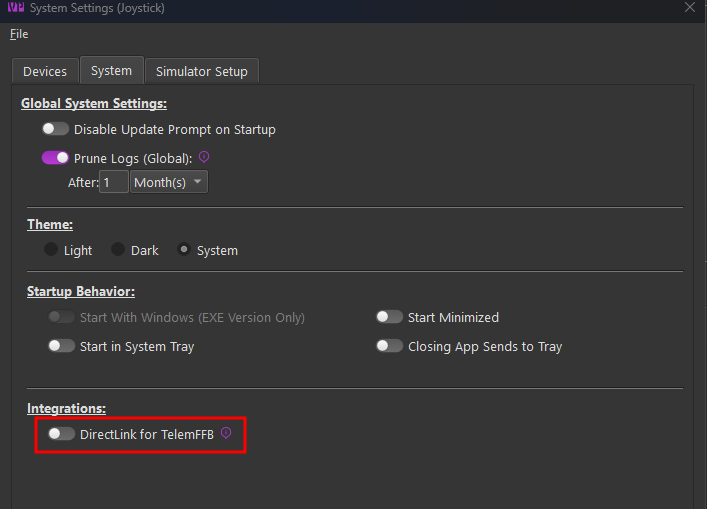
A status line below the toggle reports the installed DirectLink version. If the toggle refuses to turn on, or the status line reports no version, see Troubleshooting.
Your DirectInput devices now appear in the device selectors on the Devices tab, marked with a [DI] prefix - in every role's selector: joystick, pedals, collective, and trim wheel. Selecting one is covered in Devices & Instances; the per-role axis choice that appears with a [DI] selection is covered in Using DirectLink.
![The Devices tab with the joystick selector open: "[DI] SideWinder Force Feedback 2 Joystick" listed alongside the VPforce devices.](images/di-selector.png)
No [DI] devices in the selectors? See Troubleshooting.